
AutoTagger for Revit
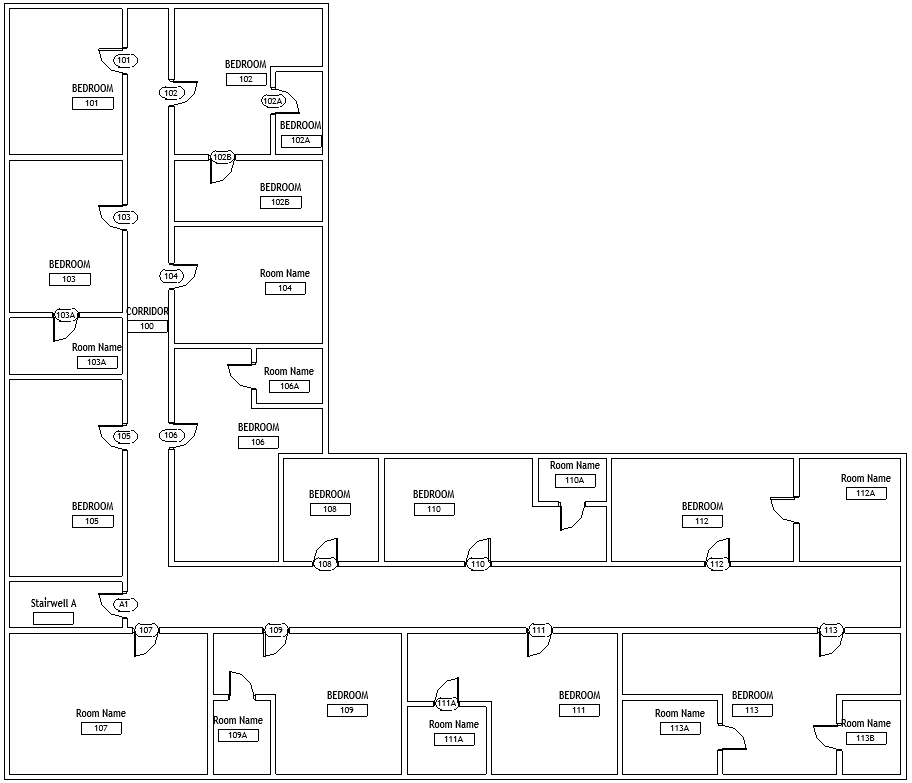
A Revit solution that tags and numbers hundreds of doors and rooms in seconds, built around the way an architecture firm already numbers its buildings.
The problem
Architects designing apartments, hotels, and other multi-unit buildings number every door and room by hand in Revit. A single floor can hold hundreds of tags, and every client change to the layout means renumbering. The work is slow, repetitive, and easy to get wrong, and a wrong tag can cause coordination problems with contractors later.
How I approached it
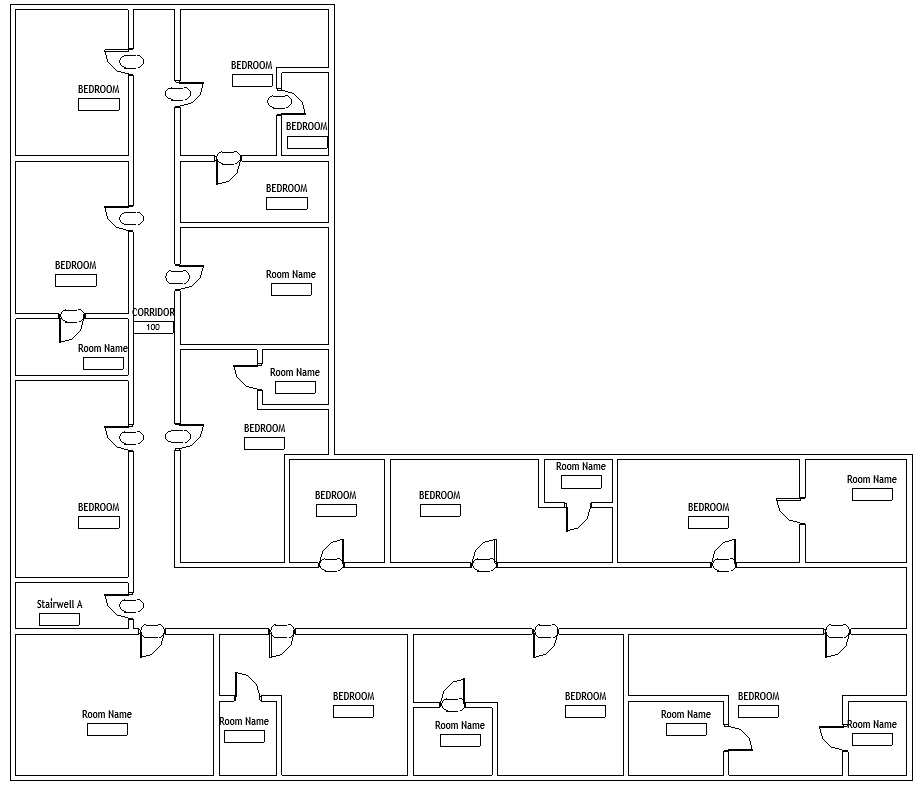
I came to this project new to Revit and to architecture. I started by sitting with the lead architect to learn how the firm numbers a building: how corridors set the order, how inner rooms such as bedrooms and bathrooms take a letter from the room they open into, and how stairwells and unusual names are handled. I then learned Revit's programming interface and wrote down those conventions as rules the software could follow.
The first release covered the most common case, a straight hallway of units, so the firm could use it right away. Later releases extended it to L-shaped, T-shaped, and U-shaped corridors, loops, multiple floors, stairwells, and nested rooms. I tested each layout against cases I built to break it before the firm found them.
The result
The firm licensed AutoTagger and uses it in production on large multi-family projects. It runs inside the software the architects already use, so nobody had to change tools or habits.
The license gives the firm ownership of the solution in practice. Its team may edit and improve AutoTagger however it likes, as long as the solution and anything built from it stay in house and are not resold. AI has made software easy to change, and I want clients to keep making what I build better. When a change gets tricky, they can call me, and we improve it together.
"This is awesome! It saves us countless hours of busy work spent renumbering door and room tags."Cash Moter, Joseph and Joseph Architecture
Estimate what tagging costs on one of your projects.
Enter numbers from a recent multi-unit project. The estimate assumes the tool removes about 95 percent of the time spent on tagging and renumbering.
- Initial tagging
- 0 hours, $0
- Renumbering after changes
- 0 hours, $0
- Total manual cost
- $0
- Hours with AutoTagger
- about 0
Estimated savings $0
Have a repetitive task inside software your team already uses?
AutoTagger began as a single conversation about a tedious task. Tell me about yours, and I will tell you honestly whether it can be automated and what a first version would look like.